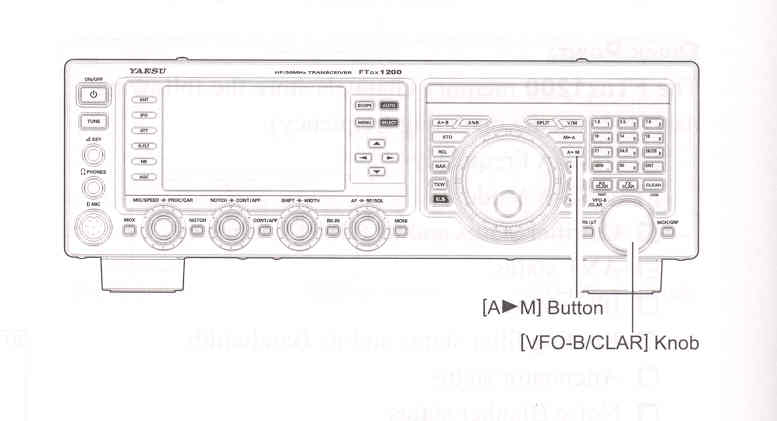
Memory Storage
1. Set VFO-A up with the frequency, mode, and status the way you want to have it stored.
2. Press the [A►M] button momentarily; the current channel number will start blinking in the display and the "MCK" notation will aooear.
3. Rotate the [VFO-B/CLAR] knob to select the memory channel that you wish to store the data on.
4. Press and hold in the [A►M] button for one second to store the frequency and other data into the selected memory channel. A double beep will confirm that you have held the [A►M] button in long enough.
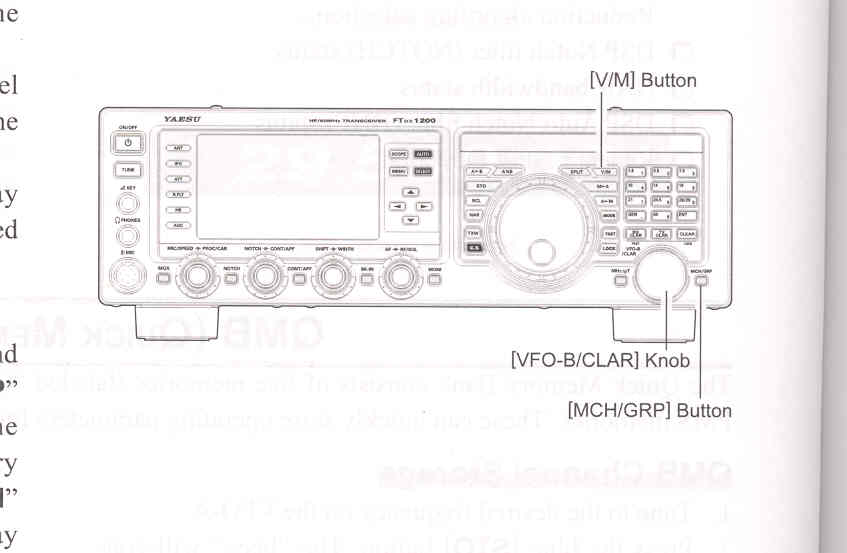
Memory Channel Recall
1. Press the [V/M] button, if necessary, to enter the "Memory mode".
2. Press the [MCH/GRP] button. A memory channel number and the "MCH" notation will appear in the display.
3. After pressing the [MCH/GRP] button, you may rotate the [VFO-B/CLAR] knob to select the desired memory channel.
ADVICE:
To work within a particular Memory Group, press and hold the [MCH/GRP] button for one second (the "GRP" notation will appear on the display), then rotate the [VFO-B/CLAR] knob to select the desired Memory Group. Now press the [MCH/GRP] button (the "MCH" notation will appear instead of the "GRP"); you may now choose the memory channel within the selected Memory Group.