The configuration of the Electronic Keyer may be custonized independently for the front and rear KEY jacks of the
FTDX1200.
This permits utilization of Automatic Character Spacing (ACR), if desired. This permits the use of an electronic keyer via the front jack and a straight key or computer-driven keying line via the rear panel jack.
2. Rotate the [VFO-B/CLAR] knob (or press the ▲ / ▼ button) to select Menu item "018 KEYER TYPE" (for the front KEY jack) or "020 R KEYER TYPE" (for the rear panel KEY jack).
3. Press the [SELECT] buttin, then rotate the [VFO-B/CLAR] knob (or press the
OFF: The built-in Electronic Keyer is turned off ("straight key" mode).
BUG: Dots will be generated automatically by the keyer, but dashes must be sent manually.
ELEKEY: Both dots and dashes will be generated automatically when using a paddle.
ACS: Same as "ELEKEY" except tha the spacing between character is precisely set by the keyer to be the same length as a dash (three dots in length).
4. When your adjustments are complete, press the [SELECT] button, then press the [MENU] button to save the new setting and exit to normal operation.
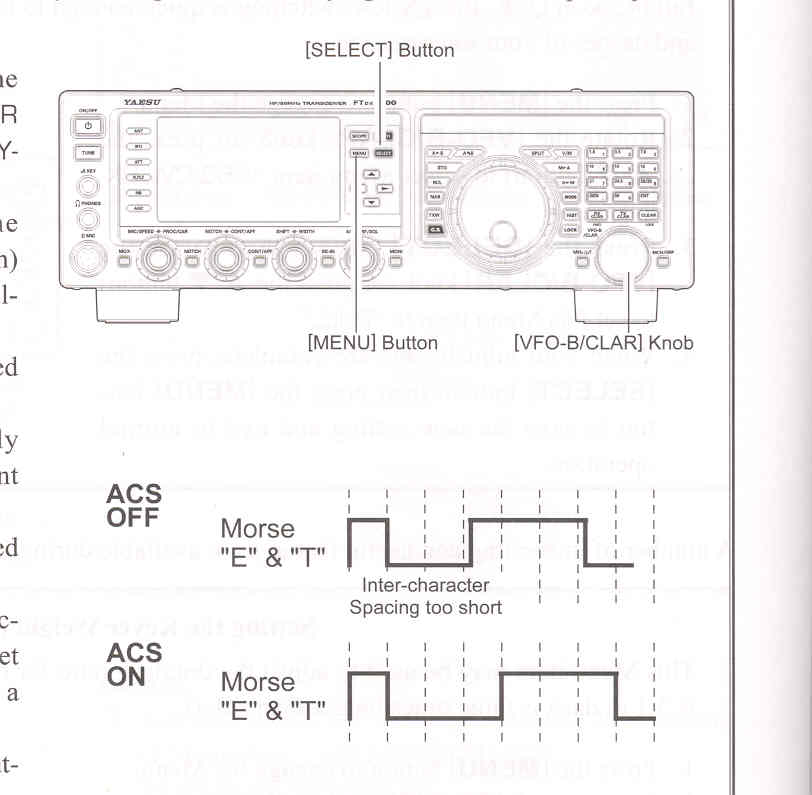
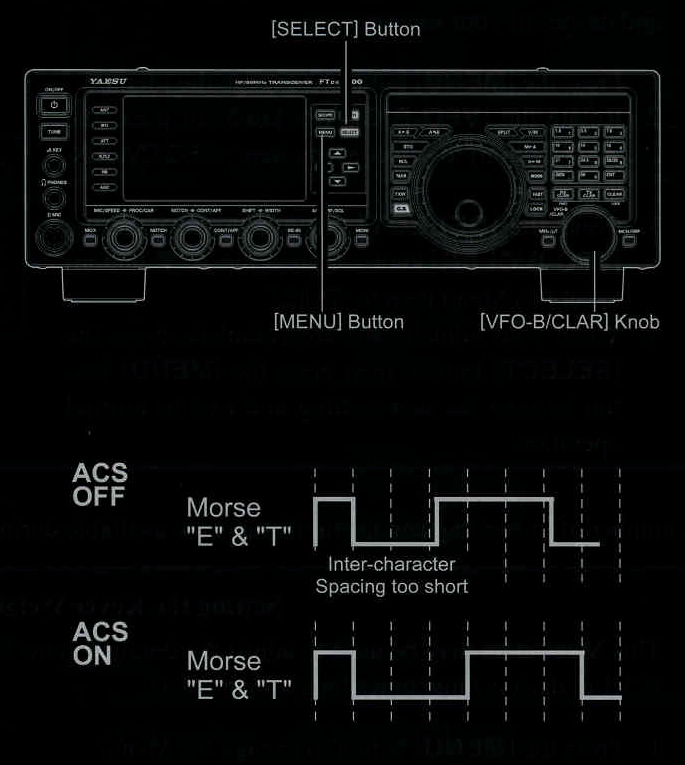 1. Press the [MENU] button to engage the Menu.
▲ / ▼ button) to set keyer to the desired mode. The available selections are: