2. Press the [A ►◄ B] button, then rotate the Main Tuning Dial knob to set the desired split TX frequency.
3. Press the [A ►◄ B] button, then press the [SLIT] button. The VFO-B frequency will appear in the TFT display and the LED indicators will look like as below:
VFO-A RX Indicator: "ON" (LED glows Green)
VFO-A TX Indicator: "OFF" (LED Off)
VFO-B RX Indicator: "OFF (LED Off)
VFO-B TX Indicator: "ON" (LED glows Red)
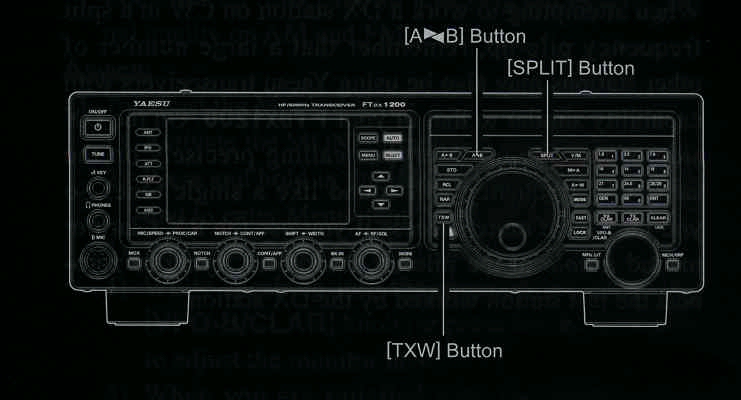
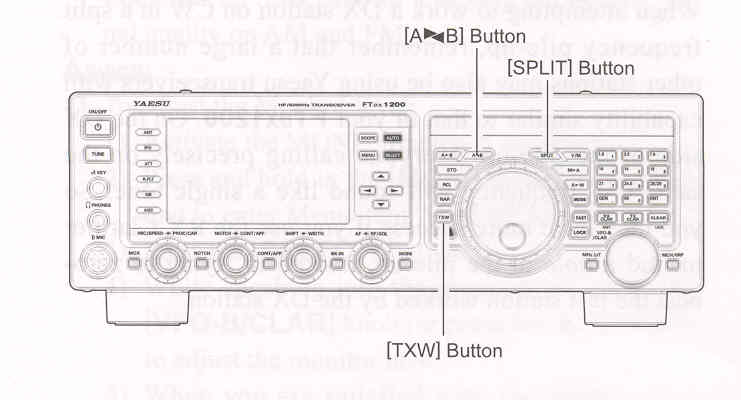
During Split operation, the VFO-A register will be used for reception, while the VFO-B register will be used for transmission. If you press the [SPLT] button once more, Split operation will be cancelled.
ADVICE:
Quick Split Operation
The Quick Split feature allows you to set a one-touch offset of +5kHz to be applied to your radio's VFO-B (transmit) frequency, compared to the VFO-A frequency.
1. Start with regular transceiver operation.
VFO-A RX Indicator: "ON" (LED glows Green)
VFO-A TX Indicator: "ON" (LED glows Red)
VFO-B RX Indicator: "OFF (LED Off)
VFO-B TX Indicator: "OFF" (LED Off)
2. Press and hold in the [SPLIT] button for one second to engage the Quick Split feature, and apply a frequency of 5 kHz above the VFO-A frequency to the VFO-B frequency register.
The VFO configuration will then be:
VFO-A RX Indicator: "ON" (LED glows Green)
VFO-A TX Indicator: "OFF" (LED Off)
VFO-B RX Indicator: "OFF (LED Off)
VFO-B TX Indicator: "ON" (LED glows Red)
3. Press and hold in the [SPLIT] button for one second to increment the sub (VFO-B) frequency another + kHz.
QUICK POINTS: