Page 74 FTDX1200 Operating Manual

TRANSMITTER CONVENIENCE FEATURES Cont'd

Previous Page    Index of Topics    Table of Contents    Index of Pages    Next Page

MONITOR (SSB/AM/FM MODES)

You may listen to the quality of your transmitted signal using the Monitor feature.

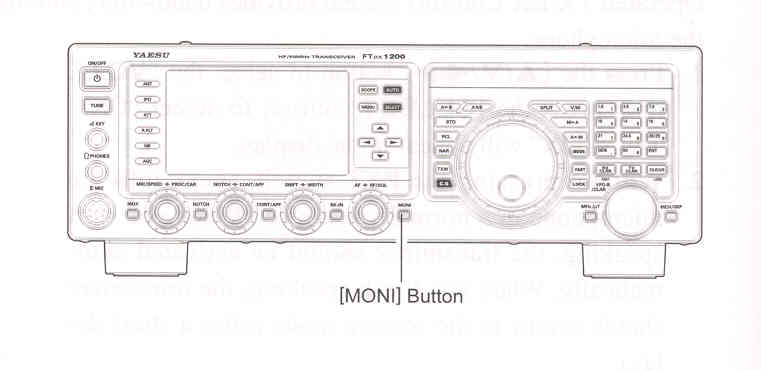
    1. Press the [MONI] button. The "MONI" will appear in the TFT display.

    2. During transmission, rotate the [MONI] knob to adjust the audio level in the Headphones or speaker. Clockwise rotation of this knob will increase the volume level.

    3. To switch the Monitor off again, press the [MONI] button once more. Confirming that the Monitor is now disengaged.

ADVICE:
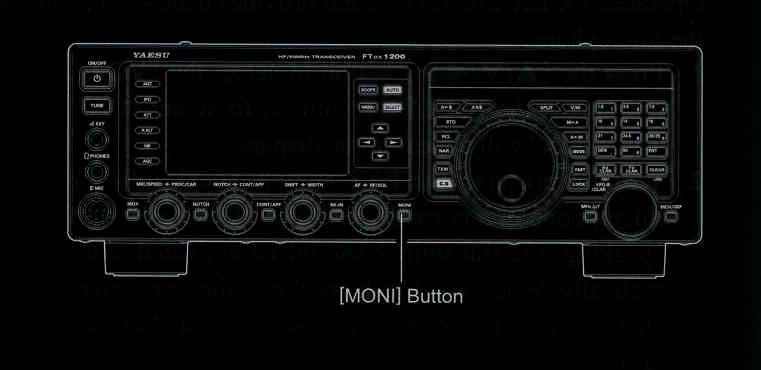
Because the Monitor feature samples the transmitter IF signal, it can be very useful for checking the adjustment of the the Speech Processor or Parametric Equalizer on SSB, and for checking the general siganl quality on AM and FM.

To adjust the Monitor level:

    1) Activate the MONI circuitry, if necessary.

    2) Press and hold in the [MONI] button for one second to enter Menu item "036 MONITOR LEVEL".

    3) Press the [SELECT] button.

    4) While speaking into the microphone, rotate the [VFO-B/CLAR] knob (or press the ▲ / ▼ button) to adjust the monitor level.

    5) When you are satisfied with the setting, press the [SELECT] button, then press the [MENU] button to save the new setting and exit to normal operation.


End of "Monitor (SSB/AM/FM Modes)"

Cont'd Next Page "Transmitter Convenience Features"

Previous Page    Index of Topics    Table of Contents    Back to Top    Index of Pages    Next Page

Page 74 FTDX1200 Operating Manual