Page 6 FTDX1200 Operating Manual

BEFORE YOU BEGIN

Previous Page    Index of Topics    Table of Contents    Index of Pages    Next Page

EXTENDING THE FRONT FEET

To elevate the front panel for easy viewing, the front left and right feet on the case bottom may be extended.

   (1) Pull the front legs outward from the
         bottom panel.

   (2) Rotate the legs counter-clockwise to lock
         them in the extended postion. Be sure the
         legs have locked securely in place,
         because the transceiver is quite heavy and
         an unlocked leg could result in damage,
         should the transceiver move suddenly.

Retracting the front feet.
   (1) Rotate the legs clockwise.

   (2) Push them in while continuing to rotate
         clockwise. The front feet should now be
         locked in the retracted position.


End of "Extending the Front Feet"


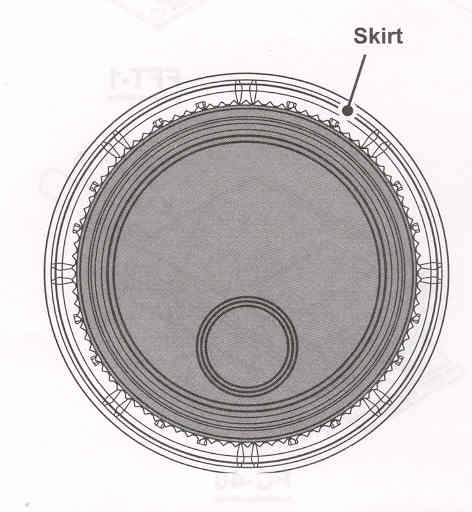
ADJUSTING THE MAIN TUNING DIAL TORQUE


The torque (drag) of the Main Tuning Dial knob may be adjusted to your preferences. Rotate the skirt at the base of the knob clockwise to reduce the drag, or counter-clockwise to increase the drag.


End of "Adjusting Main Tuning Dial Torque

Cont'd Next Page "Before You Begin"

Previous Page    Index of Topics    Table of Contents    Back to Top    Index of Pages    Next Page

Page 6 FTDX1200 Operating Manual