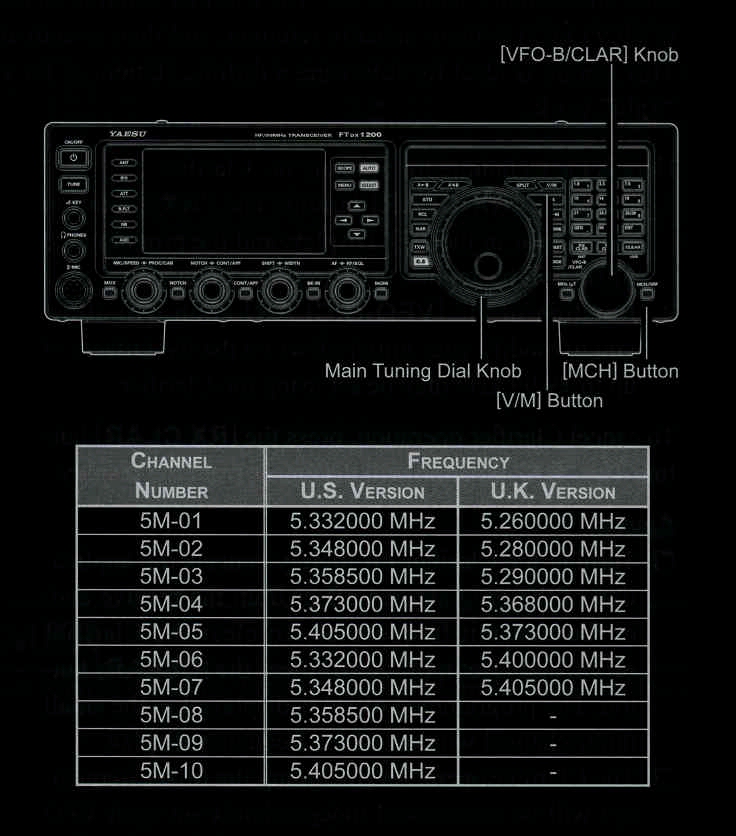
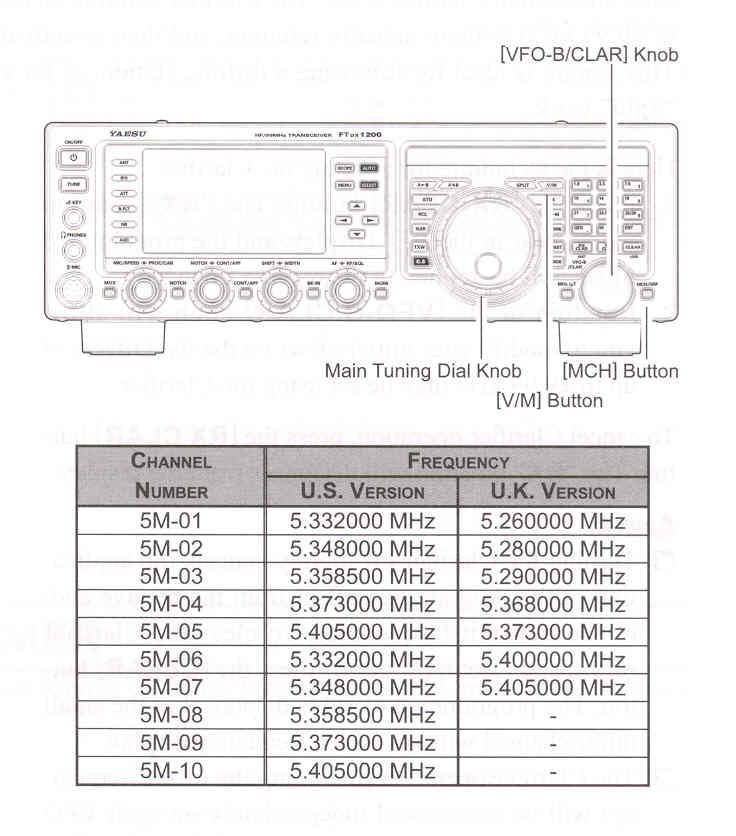
- Press the [V/M] button once to enter the "Memory" mode; the "MEM" will appear in the display.
- Press the [MCH/GRP] button located on the bottom right of the [VFO-B/CLAR] knob. The "MCH" notation and a memory channel number will appear in the display to signify that rotation of the [VFO-B/CLAR] knob will allow selection of the memory channel.
- Memory channels ("5M-01") through ("5M-10") are pre-programmed, at the factory, with the permitted frequencies in the 5 MHz band, and USB or CW mode is automatically selected on these channels.
- To exit from 60-meter operation and return to the VFO mode, just press the [V/M] button.
NOTE:
The frequencies and operating mode for 5 MHz band operation are fixed, and may not be changes.