
| FTDX1200 Operating Manual | Page 21 |
|
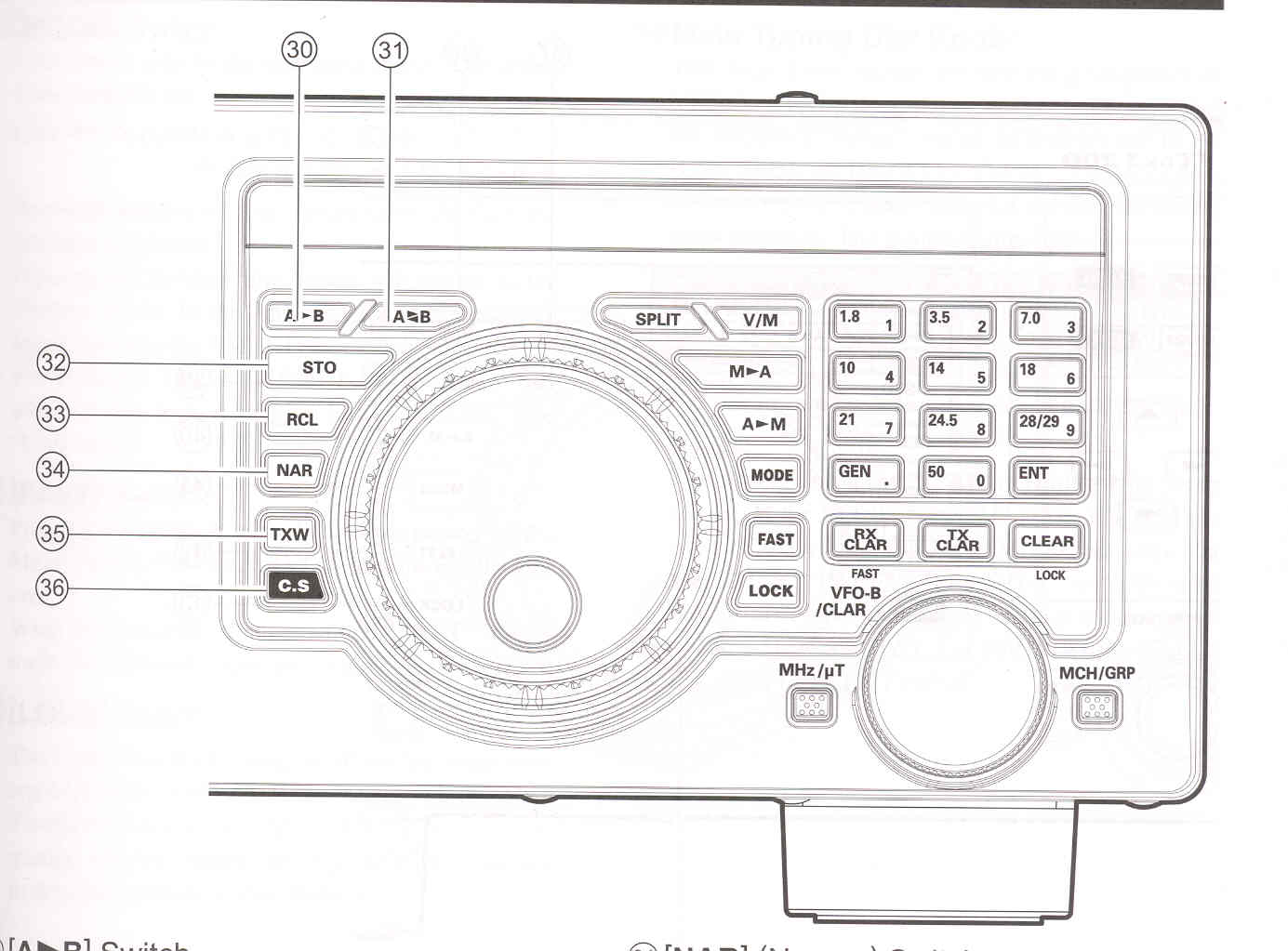
(30) [A►B] Switch Press this button momentarily to transfer the frequency or memory channel data, from VFO-A to VFO-B, overwriting any previous contents in VFO-B. Use this key to set both VFO-A and VFO-B to the same frequency and mode.
(31) [A►◄B] Switch
(32) [STO] (Store) Button
(33) [RCL] (Recall) Button
|
(34) [NAR] (Narrow) Switch This button is used to set the DSP (digital) IF filters to narrow bandwidth.
ADVICE:
In the AM mode, this button is used to toggle the receiver bandwidth between wide (9 kHz) and narrow (6 kHz).
In the FM mode, on the 28 MHz and 50 MHz bands, this button is used to toggle the FM deviation/
bandwidth between wide (+- 5 kHz Dev./25.0 kHz BW) and narrow (+- 2.5 kHz Dev./12.5 kHz BW).
(35) [TXW] (TX Watch) Switch
(36) [C.S.] Switch
To program a Menu selection to the [C.S.] button, press the [MENU] button to enter the Menu. Select the Menu item you want to set as the short cut. Press the [C.S.] button, then press the [MENU] button; this will lock in selected Menu item as the short cut.
|
| FTDX1200 Operating Manual | Page 21 |