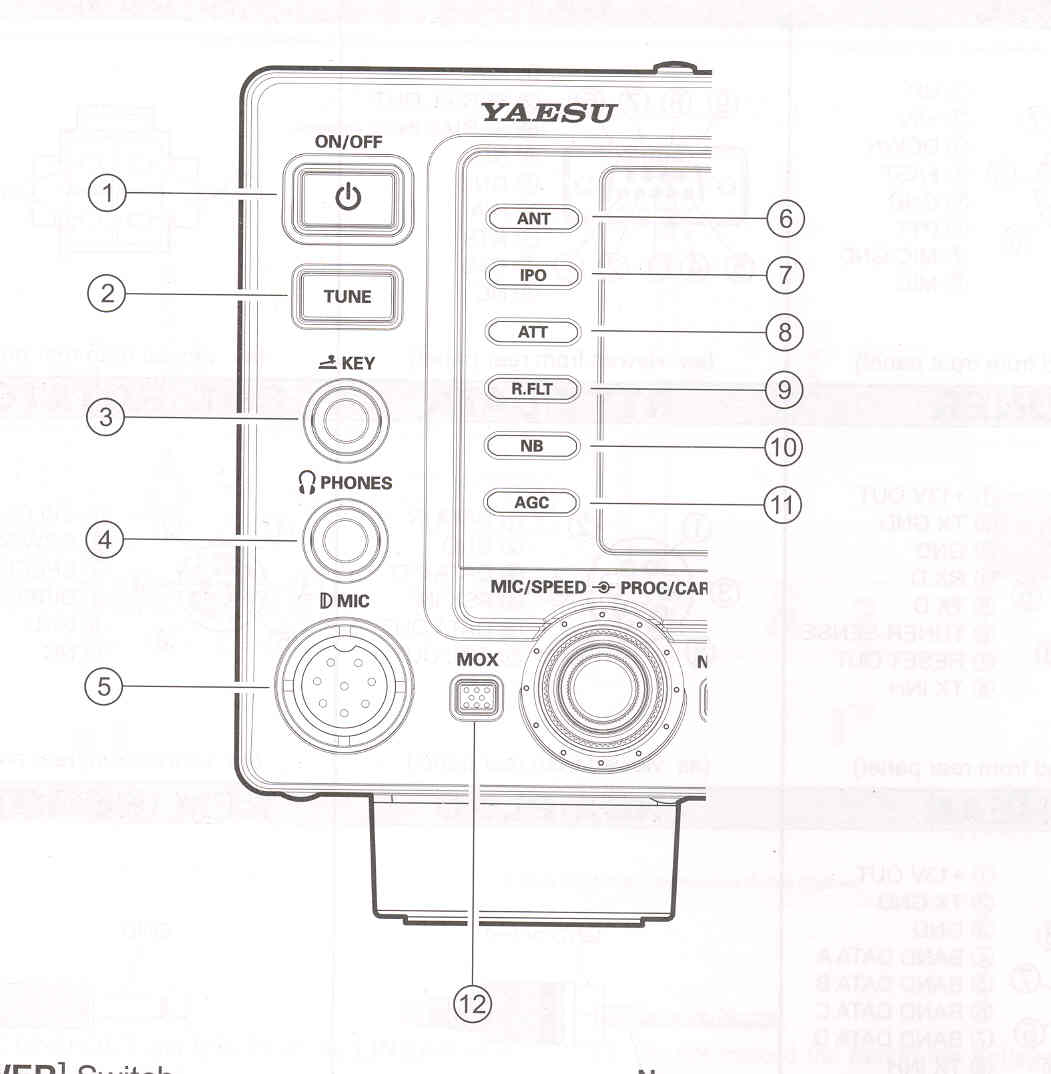
(1) [POWER] Switch
Press and hold in this switch for one second
to turn the transceiver on. Similarly, press
and hold in this switch to turn the
transceiver off.
(2) [TUNE] Switch
This is the on/off switch for the
FTDX
1200,s
Automatic Antenna Tuner.
Pressing this button momentarily places
the antenna tuner in line between the
transmiter final amplifier and the
antenna jack (The "TUNER" icon will
appear in the display). Reception is not
affected. Pressing and holding in this
botton for two seconds, while receiving
in an amateur bnad, activates the
transmitter for a few seconds while the
automatic antenna tuner rematches the
antenna system impedance for minimum
SWR. The resulting setting is
automatically stored in one of the antenna
tuner's 100 memories for instant
automatic recall later when the receiver is
tuned near the same frequency.
Pressing this button momentarily, while
the Tuner is engaged, will take the
Automatic Antenna tuner out of the
transmiter line. |
NOTE
When the Automatic Antenna tuner is tuning itself, a signal is being transmitted. Therefore, be certain that an antenna or dummy load is connected to the selectec antenna jack before pressing and holding in the [TUNE] switch to start antenna tuning.
(3) KEY Jack
This 1/4-inch, 3-contact jack accepts a CW
key or keyer paddles (for the built-in
electronic keyer), or output from an external
electronic keyer. Pin out is shown on page
15. Key up voltage is +3.3V DC, and key
down current is 4 mA. This jack may be
configured for a keyer, "Bug", "straight
key", or computer keying interface operation
via Menu item "019 F CW KEYER" (see
page 113). There is another jack with the
same name on the rear panel, and it may be
configured independently for Internal keyer
or pseudo-straight-key operation.
NOTE:
You cannot use a 2-contact plug in this jack (to do so produces a constant "key down" condition).
|