1. Turn the FTDX1200's [POWER] switch "Off", and turn off the external DC power supply.
2. Disconnect all the cables from the
FTDX1200.
3. Referring to Figur 1, remove the 18 screws attaching the bottom case, then remove the bottom case.
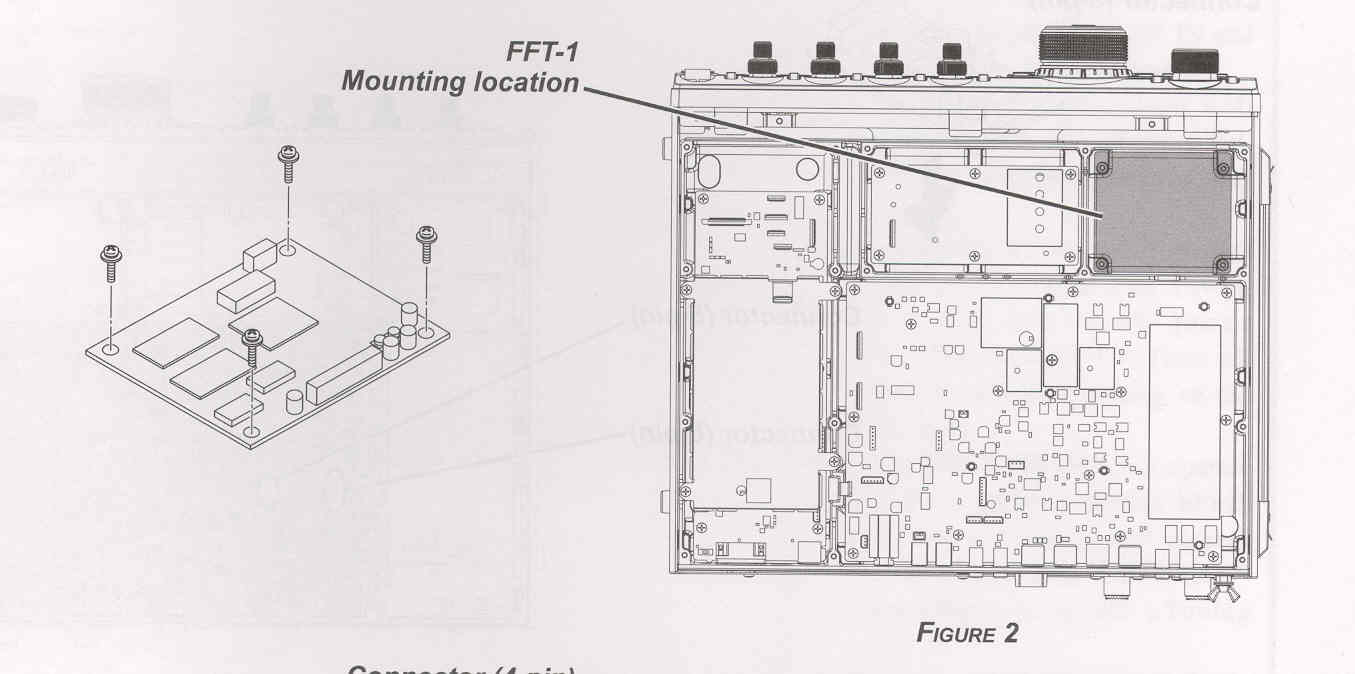
4. Refer to Figur 2 for the mounting location for the FFT-1.
5. Place the FFT-1 (component side up), and then secure the corners of the FFT-1 with the 4 screws.
6. Referring to Figur 3, connect appropriate cables to the 4-pin and 14-pin connectors on the FFT-1 respectively.
7. Replace the botton case and 18 screws.
8. Connect the antenna and DC power supply to the
FTDX1200.