| Page 12 | FTDX1200 Operating Manual |
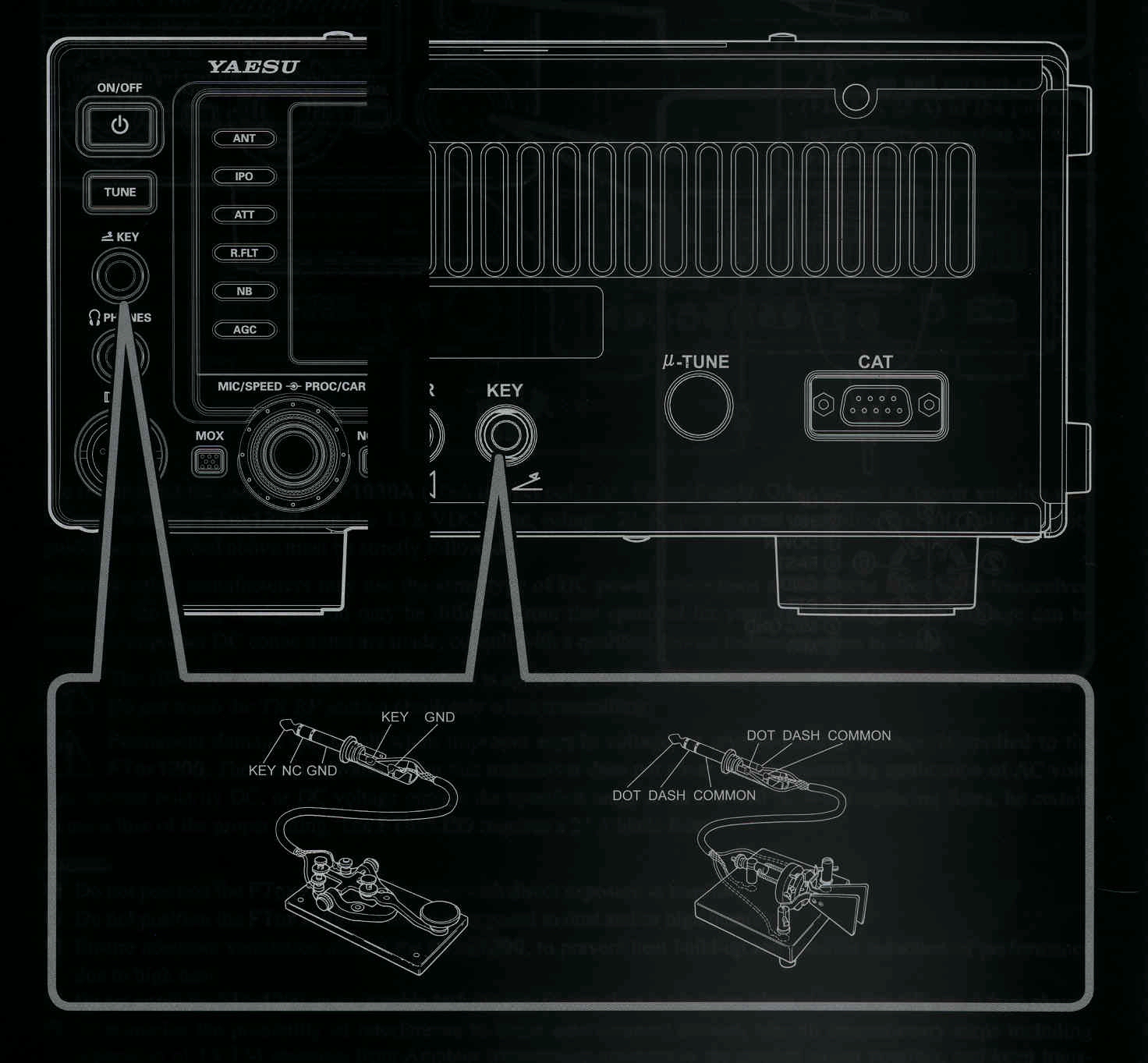
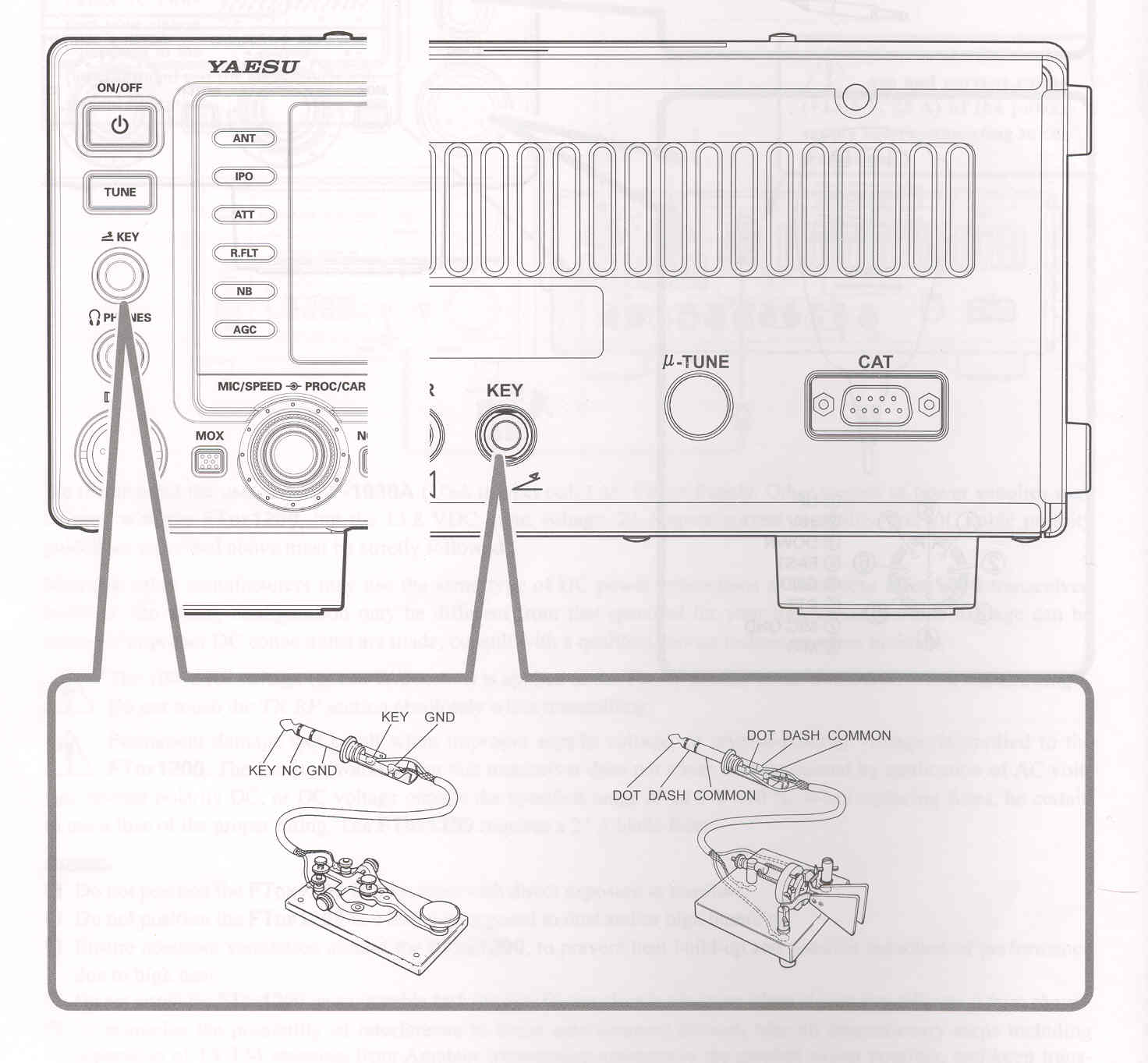
The Menu selections allow you to configure the front and rear panel KEY jacks according to the device you wish to connect. For example, you may connect your keyer paddle to the front panel KEY jack, and use Menu item "018 F KEYER TYPE" for paddle input, and also connect the keying line from your personal computer (which emulates a "straight key") to the rear panel KEY jack, and configure the rear panel jack using Menu item "020 R KEYER TYPE".
Both KEY jacks on the
FTDX1200
utilize "Positive" keying voltage. Key-up voltage is approximately +3.3 V DC, and key-down current is approximately 4 mA. When connecting a key or other device to the KEY jacks, use only a 3- contact ("stereo") 1/4" phone plug; a 2-contact plug with place a short between the ring and (grounded) shaft of the plug, resulting in a constant "key-down" condition in some circumstances.
| Page 12 | FTDX1200 Operating Manual |